

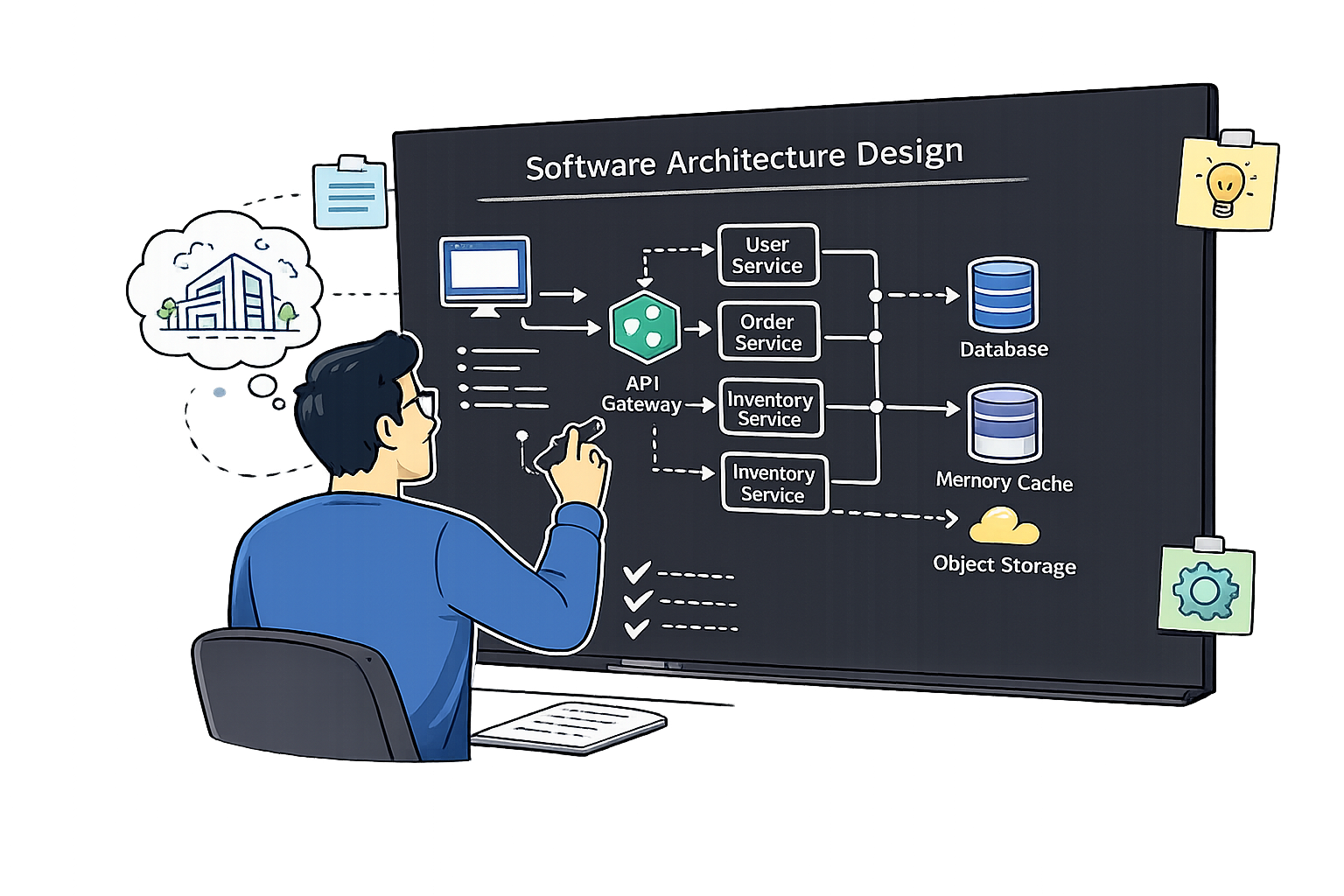
Designing
Interfaces
Interface styles, call behaviors, data formats, and best practices for designing well-structured, resilient software interfaces.
Overview and Basic Properties of Designing Interfaces
One of the most important aspects of an architecture are interfaces and the relationships between components.
Interfaces define the structure and behavior of a system. They provide the contracts between components, enable loose coupling, and coordinate complex networks of subsystems.
Structure
- Define the structure and behavior of the system
- Express contracts between components
Connectivity
- Provide a link between specialized components
- Enable loose coupling of parts
Orchestration
- Coordinate and orchestrate a complex network of subsystems
- Manage data flows between components
Every interface can be described along three fundamental dimensions: its style (resource-oriented vs. service-oriented), its call behavior (synchronous vs. asynchronous), and its data format (how data is structured and exchanged).
Interface Style
- Resource-oriented — based on manipulating resources
- Service-oriented — based on encapsulated business logic
Call Behavior
- Synchronous — caller waits for a response
- Asynchronous — caller continues without waiting
Interface Data Format
- Exchanging / transferring data
- Defines how data is structured and serialized
Focuses on defining and manipulating resources (images, books, users, products, etc.). The number of resources is arbitrary, but the number of operations is limited (CRUD-based HTTP verbs). The most common example is REST (REpresentational State Transfer).
Resource-Oriented — Key Points
- Focuses on defining and manipulating resources
- The number of resources is arbitrary
- The number of operations is limited (CRUD-based HTTP verbs)
| Operation | HTTP Verb | URI Example |
|---|---|---|
| Retrieve a specific book | GET | /books/{bookId} |
| List all books | GET | /books |
| Create a new book | POST | /books |
| Update a specific book | PUT | /books/{bookId} |
| Delete a specific book | DELETE | /books/{bookId} |
Centered around defining and accessing services that encapsulate business logic. We can define a wide range of operations, allowing for more complex interactions. Method calls are encapsulated in messages.
Service-Oriented — Key Points
- Centered around defining and accessing services (encapsulating business logic)
- We can define a wide range of operations
- Allows for more complex interactions
- Method calls are encapsulated in messages
Protocols: SOAP (XML via HTTPS), gRPC (Protocol Buffers via HTTP 2.0)
Below is a Protocol Buffers service definition for a bookstore. The four standard CRUD methods (Add, Get, Update, Delete) are complemented by specialized operations like SearchBooks and BulkUpdateInventory — illustrating the key advantage of service-oriented interfaces: an unlimited number of custom operations.
syntax = "proto3";
package bookstore;

service BookManagement {

  // ── Standard CRUD operations ──
  rpc AddBook     (AddBookRequest)     returns (AddBookResponse);
  rpc GetBook     (GetBookRequest)     returns (GetBookResponse);
  rpc UpdateBook  (UpdateBookRequest)  returns (UpdateBookResponse);
  rpc DeleteBook  (DeleteBookRequest)  returns (DeleteBookResponse);

  // ── Specialized operations beyond CRUD ──
  rpc SearchBooks          (SearchBooksRequest)          returns (SearchBooksResponse);
  rpc BulkUpdateInventory  (BulkUpdateInventoryRequest)  returns (BulkUpdateInventoryResponse);
}
Service-oriented interfaces are not limited to basic CRUD. Here we extend the bookstore with a dedicated RecommendationService that exposes domain-specific operations — suggesting books by reading history, genre, trending popularity, or author. Each RPC encapsulates complex business logic behind a single, clearly named call.
syntax = "proto3";
package bookstore;

// ── The recommendation service definition ──
service RecommendationService {

  rpc RecommendBooksByHistory           (RecommendationRequest)    returns (RecommendationResponse);
  rpc RecommendBooksByGenre             (RecommendByGenreRequest)  returns (RecommendationResponse);
  rpc GetTrendingBooks                  (TrendingRequest)          returns (RecommendationResponse);
  rpc RecommendBooksByAuthorPopularity  (RecommendationRequest)    returns (RecommendationResponse);
}
Synchronous
- Straightforward and easy to understand
- Linear flow, well-defined order
- Ideal when the result is immediately required
- Simple CRUD operations
Asynchronous
- Ideal when the caller can continue executing without waiting
- The result cannot be available immediately
- Useful for long-running operations (e.g., report generation)
The data format defines how data is structured and exchanged between components. In REST over HTTP, the request and response follow standardized formats including headers and content negotiation.
Accept: text/html,application/xhtml+xml,application/xml;q=0.9,image/webp,*/*;q=0.8
Content-Length: 438
Content-Type: text/html; charset=UTF-8
Content-Type: text/plain; charset=UTF-8
Content-Length: 138
Connection: close
- Consumers are known — same team or organization
- Lower risk of misuse
- Easier to change and evolve
- Less formal documentation required
- Unknown consumers — public or third-party
- Higher opportunities for misuse
- Strict security requirements
- Strong stability requirements — breaking changes are costly
- Interfaces define the structure, connectivity, and orchestration of a system
- Interface Style: Resource-oriented (REST) vs. Service-oriented (gRPC/SOAP)
- Call Behavior: Synchronous (caller waits) vs. Asynchronous (caller continues)
- Data Format: Defines how data is structured and exchanged (e.g., HTTP request/response)
- Internal interfaces: known consumers, easier to evolve
- External interfaces: unknown consumers, strict security and stability requirements
Requirements and Best Practices for Designing Good Interfaces
A well-designed interface must satisfy several key requirements: it should fulfill user needs, be easy to learn and use, easy to extend, hard to misuse, consistent across the system, and meet quality requirements.
Fulfill User Requirements
- Suitable functionality — fit clients' needs
- Difficult for public APIs (unknown consumers)
- Provide what the consumer actually needs
Easy to Learn & Use
- Provide IDL (e.g., by using Swagger)
- Use unit tests as documentation
- Self-descriptive naming conventions
Easy to Extend
- Consider API versioning
- Design for backward compatibility
- Allow adding operations without breaking consumers
Hard to Misuse
- Both intentional and unintentional misuse
- Validate inputs at the boundary
- Return meaningful error messages
Consistent
- Consistent to other interfaces in the system
- Same naming conventions throughout
- Uniform error response structures
Quality Requirements
- Performance — latency, throughput
- Security — auth, encryption
- Robustness — fault tolerance
Use It Yourself / Dog-Fooding
- Implement tests and use tests as a reference example
- Consider perspective of consumers and extended service providers
- Test for correctness at boundary conditions
Clarify Requirements
- Clarify with the consumer and provider
- Clarify different views or requirements
- Align on contracts before implementation
Hide Implementation Details — Information Hiding Principle: Consumers should interact with an interface without knowing internal implementation details. This allows the implementation to change freely as long as the interface contract remains stable.
Use terms from the domain model. Resources should be named after business concepts. Avoid generic names like elements, object, or resource.
id and ctr are acceptable as they are general or domain-specific, but opaque abbreviations like sd, ed should be expanded to startDate, endDate.{
"title": "Summer Sale - Up to 50% Off!",
"id": "123",
"sd": "2024-06-01T00:00:00Z",
"ed": "2024-06-30T23:59:59Z",
"ctr": 0.79,
"budget": 250,
"duration": 24
}
{
"title": "Summer Sale - Up to 50% Off!",
"id": "123",              // "identifier" — OK
"startDate": "2024-06-01T00:00:00Z",
"endDate": "2024-06-30T23:59:59Z",
"ctr": 0.79,              // "click-through rate" — OK
"budget": {"amount": 250, "currency": "usd"},
"duration_hours": 24
}
Use clear naming conventions: Verbs for actions on the service itself (e.g., Archive, Create) and VerbNouns for actions on specific resources (e.g., AddBook, GetBook).
syntax = "proto3";
package bookstore;

service BookLibrary {

  // ─────────────────────────────────────────────────────────────
  //  Pattern 1 :  Verbs
  //  → operate on the service itself (no resource noun needed)
  // ─────────────────────────────────────────────────────────────

  rpc Archive   (ArchiveLibrary)   returns (Status);
  rpc Create    (CreateRequest)    returns (Status);


  // ─────────────────────────────────────────────────────────────
  //  Pattern 2 :  VerbNouns
  //  → operate on a specific resource (verb + resource name)
  // ─────────────────────────────────────────────────────────────

  rpc AddBook      (AddBookRequest)      returns (AddBookResponse);
  rpc GetBook      (GetBookRequest)      returns (GetBookResponse);
  rpc UpdateBook   (UpdateBookRequest)   returns (UpdateBookResponse);
  rpc DeleteBook   (DeleteBookRequest)   returns (DeleteBookResponse);
  rpc SearchBooks  (SearchBooksRequest)  returns (SearchBooksResponse);

}
The Principle of Least Surprise: an interface should behave exactly as a consumer would expect. No hidden mutations, no unexpected state changes.
Example 1: Update User's First Name
Operation: Update first name only
Expectation: Only the first name changes
— Password is reset
— Preferences are reset
Example 2: getUserById(UserId)
Operation: Retrieve user by ID
Expectation: Returns User or fails gracefully
— Creates a new User instead of failing
Return data as separate, type-safe fields — not bundled strings that require parsing. Each piece of data should be independently addressable and evaluable.
Design Principles
- Use meaningful, self-descriptive names — use terms from the domain model
- Minimize surprises and side effects (principle of least surprise)
- Provide “atomic” information units — easy to evaluate, no parsing of strings
- Documentation (especially for boundary / threshold examples and errors)
Process Practices
- Use it yourself — implement tests as reference examples
- Clarify requirements with the consumer and provider
- Hide implementation details (information hiding principle)
- Provide IDL (Swagger, OpenAPI, proto) for discoverability
- Consider API versioning for extensibility
- 6 Requirements for Good Interfaces: Fulfill user needs, easy to learn & use, easy to extend, hard to misuse, consistent, meet quality requirements
- Dog-fooding: Use your own API — write tests as reference examples
- Clarify requirements with both consumer and provider before implementation
- Information Hiding: Consumers should not know internal implementation details
- Meaningful names: Use domain model terms; avoid generic names; use VerbNoun for services
- Principle of Least Surprise: No hidden side effects or unexpected state changes
- Atomic information units: Return type-safe, individually addressable fields
- Documentation: Provide IDL (Swagger/OpenAPI), document boundaries and error responses
What Makes an Interface
- Interfaces connect components — every system boundary is an interface
- Internal (module-to-module) vs. external (system-to-system)
- Resources, operations, data types, error signals & quality properties
- Interfaces are the hardest thing to change — design them carefully
Designing Good Interfaces
- 6 requirements: useful, learnable, extensible, hard to misuse, consistent, quality-aware
- Dog-food your own API — write tests as reference examples
- Information Hiding — never expose internals to consumers
- Meaningful names, no side effects, atomic return types
- Document with IDL (Swagger/OpenAPI); version for extensibility