

Documentation & Communication
Goals of documentation, arc42, UML, views, interfaces & design decisions.
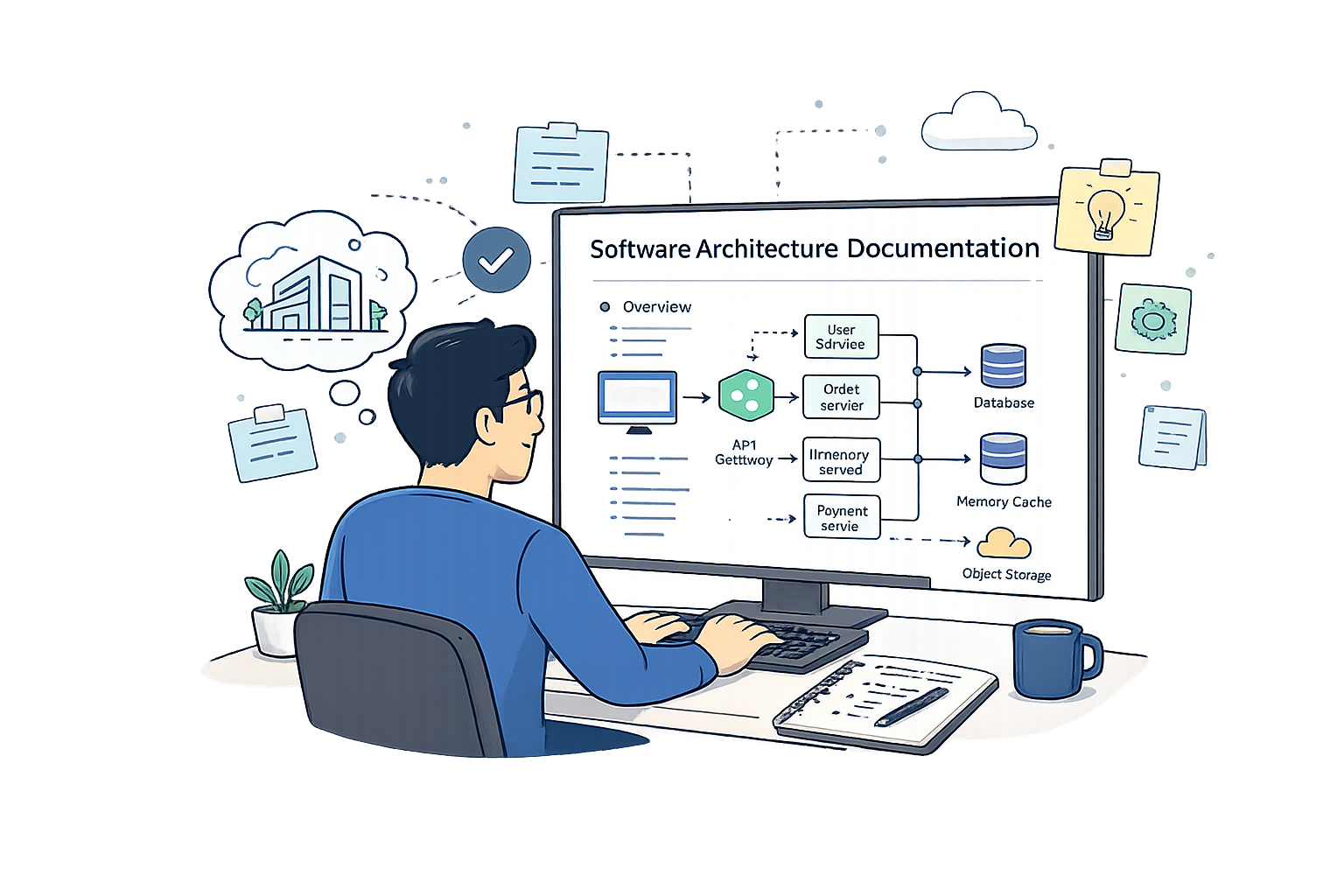
Goals, Benefits, and Quality Requirements of Documentation
"We don't need documentation. The truth is in the code"
Architecture documentation bridges the gap between the decisions made during design and the people who need to understand, implement, test, operate, or evolve the system. Without documentation, knowledge lives only in the architect's head — and people leave teams.
Create a Shared Understanding
All stakeholders — developers, testers, operators, managers — need a consistent mental model of the system.
Enable Communication
Architecture docs are the primary medium for discussing, critiquing, and evolving design decisions across teams.
Support Evolution
A documented architecture lets future architects understand past decisions and constraints before making changes.
Record Decisions & Trade-offs
Document not just what was decided, but why — including the alternatives that were rejected.
Enable Evaluation
Documentation provides the basis for architectural reviews, audits, and quality assessments.
Manage Onboarding
New team members can ramp up quickly when the architecture is clearly documented.
Over the lifetime of a system, documentation helps to:
Documentation Quality vs Maintenance Cost
In large IT systems, costs correlate directly with documentation quality.
Architecture communication happens in two complementary modes — each serves a different purpose in the design and decision-making cycle.
- → Architecture documents, diagrams, and models
- → Summarized, curated, and version-controlled
- → Designed for long-term reference and reuse
- → Reaches stakeholders asynchronously
- → Slower to produce — but persistent and precise
- → Explain, present, and discuss architecture
- → Gather quick feedback from stakeholders
- → Drive decisions in real time
- → Build mutual understanding across teams
- → Fast, bi-directional, and context-rich
Developers
- Understand constraints and design guidelines
- Know which components to use and how
- Understand interface contracts
- Avoid accidentally breaking cross-cutting concerns
Testers / QA
- Understand system boundaries and integration points
- Know which quality requirements to verify
- Derive test strategies from architecture views
IT Operations
- Understand deployment and infrastructure needs
- Know monitoring, logging, and failover requirements
- Operate the system according to architectural intent
Project Managers
- Understand scope and component dependencies
- Plan work packages based on building blocks
- Assess impact of changes on schedule and budget
Good documentation must itself satisfy quality requirements. A document that is outdated, incorrect, or incomprehensible fails its purpose entirely, regardless of how much effort went into it.
Judged only by readers. Tailor form, content, and level of detail to the stakeholder audience.
Right information for intended stakeholders. Addresses their needs and helps them perform their job.
Content must be accurate and up-to-date at all times.
Strive for brevity and conciseness. Reflected in structure, organization, language, and content.
Easy to keep updated as the system evolves.
One of the most common mistakes is creating too much documentation (burdensome, outdated quickly) or too little (unhelpful, dangerous). The right level of detail depends on the audience, the project, and the criticality of the decision.
- →Building blocks
- →Interaction of building blocks
- →Source code structure
- →Technical infrastructure
- →Basic assumptions, decisions, technologies & concepts
The guiding principle: Document decisions (why), interfaces (how), constraints (what you cannot change), and risks (what could go wrong). Skip obvious implementation details that the code already expresses.
- Hard to maintain and keep current
- Readers stop reading it entirely
- Becomes outdated quickly
- Expensive to produce and update
- Hides important content in noise
- Knowledge siloed in individuals' heads
- New developers cannot onboard
- Decisions are forgotten or repeated
- Interface misunderstandings and bugs
- Architecture drifts without guidance
- Importance of documentation — directly impacts the cost of:
- Maintaining our system
- Evolving our system
- Verbal communication and written communication/documentation complement each other
- Levels of detail for documentation
- Quality requirements for software architecture documentation:
- Understandability
- Appropriateness
- Correctness
- Efficiency
- Maintainability
Template-Based Documentation
Easy to get overwhelmed and not know where to begin.
Use an existing template.
Without a template, architecture documentation is ad-hoc: each project invents its own structure, readers never know where to find things, and critical sections are frequently omitted. A standardized template solves these problems by providing a proven, reusable structure.
Consistent Structure
Readers know where to find information — context, decisions, risks — regardless of which project they're working on.
Completeness Prompt
The template reminds the architect of important sections they might otherwise forget — especially risks, glossary, and quality requirements.
Speed
No need to design a documentation structure from scratch every project. Focus your effort on content, not format.
arc42 (created by Gernot Starke and Peter Hruschka) is the de-facto standard template for architecture documentation, endorsed by iSAQB and widely used in Europe. It provides a proven structure of 12 sections covering everything from goals to deployment to risks.
You don't need to fill every arc42 section for every project. Use what's relevant. A small project might only need sections 1, 3, 5, and 8. A large enterprise system may use all 12 in depth. arc42 is a template, not a mandate.
Why? (Sections 1–4)
- Goals and quality requirements
- Constraints and boundaries
- System context
- Solution strategy
What? (Sections 5–8)
- Static structure (building blocks)
- Dynamic behavior (runtime)
- Deployment (infrastructure)
- Cross-cutting concerns
How? (Sections 9–12)
- Architecture decisions (ADRs)
- Quality scenarios
- Risks & technical debt
- Glossary
- Templates solve the problem of ad-hoc, inconsistent documentation
- arc42 is the ISAQB-endorsed standard with 12 sections
- Sections 1–4: Why (goals, constraints, context, strategy)
- Sections 5–8: What (building blocks, runtime, deployment, cross-cutting)
- Sections 9–12: How (decisions, quality scenarios, risks, glossary)
- Not all sections are required — use what's relevant for your project
Document Types, Diagrams and UML
Architecture documentation is not a single artifact. It consists of multiple document types that serve different audiences and purposes. Understanding which type to use when is a key architect skill.
One or more centrally located docs containing all relevant information: goals, quality requirements, views, decisions, patterns.
Summary covering only essential points. Can serve as a minimal substitute for the complete description.
A list of all architecture-related documents in one place.
Slides giving an overview of the architecture or specific parts.
Many aspects on a single large output — printed or flipchart, usually hung on a wall for team discussion.
Manual explaining the function, structure, and notation collection of the documentation.
Documents for developers and testers: methodologies, code conventions, build, and test info.
- +Often easier to understand
- +Appeals to visual memory
- −High effort to create and maintain
- −Might be misleading if not explained properly
UML is the most widely known notation for architecture and design diagrams. The iSAQB curriculum emphasizes that UML is not mandatory — what matters is that your notation is consistent and includes a legend. That said, UML literacy is expected of software architects.
A clear, informal box-and-arrow diagram with a legend is better than a technically perfect UML diagram that nobody understands. Consistency and clarity matter more than notation purity.
Structural diagrams show the static structure of the system — components, classes, packages, and their relationships.
Components, interfaces & dependencies — used for building block views.
Nodes, artifacts & infrastructure — shows where components run.
Classes, attributes, methods & relationships — domain models & key interfaces.
Code organized into packages/modules — layered or modular architecture.
Behavioral diagrams show the dynamic behavior of the system — how components interact, how processes flow, and what happens over time.
Object interactions over time — best for runtime views & request/response flows.
Workflow & process flow — supports parallel flows (fork/join).
System features from user perspective — actors + use cases + associations.
Lifecycle of an object — states, transitions & events (order lifecycle example).
ArchiMate
Enterprise architecture modeling language (The Open Group). Models business, application, and technology layers. Richer than UML for enterprise-level views.
opengroup.org/archimate
BPMN
Business Process Model and Notation — a standardized method to visually model and represent business processes. Allows business analysts and developers to share a common notation.
bpmn.org
C4 Model
Four levels of abstraction: Context → Containers → Components → Code. Notation-agnostic and practical. Widely adopted for modern software architecture communication.
c4model.com
Informal Notations
Box-and-arrow diagrams, whiteboard sketches, and informal notations are perfectly acceptable as long as they are consistent and include a legend.
- Document types:
- Central architectural description
- Architectural overview
- Document Summary
- Overview presentation
- Architecture "wallpaper"
- Guide for Documentation
- Technical information
- Pros and Cons of using visual diagrams
- Common UML diagrams:
- Structural:
- Class Diagram
- Package Diagram
- Component Diagram
- Deployment Diagram
- Behavioral:
- Sequence Diagram
- Activity Diagram
- State Diagram
- Structural:
- You can also use flow charts, (numbered) lists, pseudo code etc.
Documenting Views & Cross-Cutting Concerns
A software system is too complex to capture in a single diagram. Trying to show everything at once — components, data flows, deployment nodes, interactions — creates an incomprehensible mess. The solution is multiple views, each showing the system from a different perspective for a different audience.
Think of it like architectural blueprints for a building: floor plans, electrical diagrams, plumbing layouts, and structural drawings all describe the same building, but each serves a different audience and shows different concerns. No single view is "the architecture."
The four core iSAQB views are not isolated — they are interconnected. Every view informs and depends on the others. The Building Block View sits at the centre, refined by the Context, Runtime, and Deployment views through bidirectional feedback.
- → System as a black box in its environment
- → Defines external actors, systems & interfaces
- → Establishes the system boundary
- → Typically the first view to create
- Audience: all stakeholders · UML: Component diagram
- → Static decomposition into hierarchical levels
- → Each block: black box with white box refinements
- → Backbone of architecture documentation
- → Level 1 → Level 2 → Level 3 …
- Audience: developers, architects · UML: Component
- → Dynamic behavior for key scenarios
- → How components interact at runtime
- → Reveals concurrency, timing & failure modes
- → Message flows, request-response sequences
- Audience: devs, testers · UML: Sequence diagram
- → Infrastructure & where software runs
- → Nodes, network topology & artifacts
- → Scaling, redundancy & distribution
- → Cloud deployments, microservices infrastructure
- Audience: operations, DevOps · UML: Deployment
Provide additional views according to stakeholder needs.
- →High-level architecture for communication to management
- →Data view
- →Security view
- ⚠Views are interdependent
- ⚠Changes to one view can have an impact on other views, either positive or negative
- ⚠Ensure architecture views are updated in each iteration of an iterative approach
- ✓The four presented view types are usually sufficient
Cross-cutting concerns are topics that apply across all building blocks and cannot be assigned to a single component. They must be documented separately and applied consistently throughout the system — typically in arc42 Section 8.
Logging & Monitoring
What is logged? Which format? Where? Centralized vs distributed. Which monitoring tools? Alerting thresholds.
Security
Authentication, authorization, encryption, input validation, data privacy, audit trails. Applied consistently across all components.
Error Handling
How are errors propagated? What is the error format? How are failures recovered from? Circuit breakers, retries, fallbacks.
Persistence
Which database type and technology? ORM or direct SQL? Transaction management. Data migration strategy.
Communication
Synchronous vs asynchronous. REST, gRPC, message queues. Serialization format (JSON, Protobuf). Retry and timeout policies.
Internationalization
Multi-language support, locale handling, date/time formats, character encoding. Applied across all UI components.
Cross-cutting concerns are often implicit until they cause problems. Explicitly documenting them in Section 8 of arc42 prevents inconsistent implementations across building blocks and teams.
- Revisited the four views:
- Context view
- Building block view
- Runtime view
- Deployment view
- Elements, notations and diagrams for documenting those views
- Template for documenting cross-cutting concerns
Documenting Interfaces and Design Decisions
Interfaces are the contracts between building blocks. They define how components interact, what data they exchange, and what behaviors they guarantee. A well-documented interface enables components to evolve independently — teams can work in parallel without stepping on each other.
Without Interface Documentation
- Teams make conflicting assumptions
- Integration issues discovered late (expensive)
- No clear contract → implementation drifts
- Changing an interface breaks unknown consumers
With Interface Documentation
- Teams can work in parallel with confidence
- Contracts are enforced at integration time
- Changes to interfaces are explicit and tracked
- New team members understand integration points
| Title | Content |
|---|---|
| Identification | Exact name and version of the interface |
| Provided resources | Resources that are provided by the interface • Syntax of resource: API, Method signature • Semantic of resource • Impact of calling the resource — triggered events, changed data, altered states, other side effects, restrictions on use |
| Error scenarios | Description of error scenarios and their handling |
| Variability and configurability | Changeability or configurability of the behavior (e.g. via configuration parameters) |
| Quality attributes | Required quality attributes (availability, performance, security, …) |
| Design decisions | Rationale for the interface design decisions and rejected alternatives |
| Notes | Additional notes, usage examples |
| Title | Content — Example: Customer Management API |
|---|---|
| Identification | • Name: Customer Management API • Version: 1.8 |
| Provided resources | • GET /customers/{'{'}customerId{'}'} — Retrieves detailed information about a customer by their unique identifier.• DELETE /customers/{'{'}customerId{'}'} — Deletes a customer's information from the system. |
| Error scenarios | • Customer Not Found: Returns a 404 with "Customer not found."• Invalid Customer ID: Returns a 400 if the ID format is invalid.• Unauthorized Access: Returns a 403 if the API key is missing or invalid. |
| Variability and configurability | • API Key Expiry: API keys can be configured to expire after a certain period, adjustable via the administration panel. • Permission Levels: Access can be configured based on user roles, determining which operations (read, delete) are permitted. |
| Quality attributes | • Availability: The API aims for 99.9% availability. • Performance: Response time should not exceed 500ms. • Security: All data transmissions are encrypted using TLS. API access is guarded by API keys and role-based access control. |
| Design decisions | • RESTful Approach: Chosen for its statelessness and scalability |
| Notes | • … |
Syntax / Contract
- Method or endpoint signatures
- Input and output data types
- Required vs optional parameters
- Versioning strategy
Behavior / Semantics
- Pre-conditions (what must be true before calling)
- Post-conditions (what is guaranteed after calling)
- Side effects
- Idempotency / ordering guarantees
Error Handling
- What error codes are returned?
- What does each error mean?
- How should callers handle failures?
- Timeout and retry behavior
Quality Attributes
- Expected response time
- Throughput / rate limits
- Availability and reliability guarantees
Security
- Authentication mechanism (API key, OAuth, JWT)
- Authorization requirements
- Transport security (TLS)
Protocol & Format
- Communication protocol (REST, gRPC, AMQP)
- Data serialization format (JSON, Protobuf, XML)
- Schema version / backward compatibility
An ADR captures a single architecturally significant decision — the context, the decision itself, the alternatives considered, and its consequences. ADRs are one of the most valuable documentation practices because they capture why a decision was made, not just what was decided.
Without ADRs, future team members encounter code or architecture choices and wonder "why was this done this way?" — and may change it, inadvertently breaking things that were working for good reasons.
ADR-003: Use Event-Driven Architecture
Status: Accepted
Context: Multiple services need to react to order state changes. Direct REST calls create tight coupling and synchronous failures.
Decision: Use Apache Kafka as a message broker. Services publish events; consumers react asynchronously.
Consequences (+): Loose coupling, independent scalability, resilience to service downtime.
Consequences (−): Eventual consistency, operational complexity, new learning curve.
ADR-007: PostgreSQL for Order Service
Status: Accepted
Context: Order data is relational — customers, products, line items. ACID compliance required for financial integrity.
Decision: Use PostgreSQL 15 for the Order Service database.
Consequences (+): Full ACID, strong schema, mature tooling, team familiarity.
Consequences (−): Horizontal scaling requires sharding; not ideal for unstructured data.
Alternatives rejected: MongoDB (no ACID by default), DynamoDB (vendor lock-in).
- Revisited the importance of well-designed and documented interfaces
- → "Well-designed and documented internal and external interfaces are the backbone of a maintainable architecture."
- A common template for documenting interfaces
- Documenting design decisions and their rationale
- Common format: ADR (Architecture Decision Record)
Documentation Best Practices
- Covered industry-proven best practices for high quality documentation:
- Use Standardized Structure
- Write From the Readers' Perspective
- Avoid Repetitions and Redundancy
- Avoid Ambiguity
- Provide a Rationale for Decisions
- Unclutter Diagrams
- Keep Documentation Current
- Communicate the Status and Validity of Documentation
- Check for Suitability
Why Document?
- Communicate decisions to all stakeholders
- Preserve knowledge beyond individual memory
- Written + verbal communication complement each other
Structured Documentation
- arc42 — 12-section template for architecture docs
- Consistent structure reduces cognitive load
- Tailor depth to audience and project size
Visual Communication
- UML class, component, sequence & deployment diagrams
- Know key UML relationships (association, dependency, inheritance)
- Diagrams reduce ambiguity — one picture, many words
Multiple Perspectives
- Context, building block, runtime & deployment views
- Each view serves a different stakeholder concern
- Document cross-cutting concepts separately
Document What Matters
- Document all external & key internal interfaces
- Record architecture decisions with rationale (ADRs)
- Capture alternatives considered & trade-offs made
Documentation Done Right
- Write from the reader's perspective
- Avoid repetition, ambiguity & clutter
- Keep docs current & communicate their validity